FIM: Set Membership Based on Group Membership




Sets and groups are different object types in FIM, but often people would like to have sets based on group membership. We figured out a way to do that with some custom attributes.
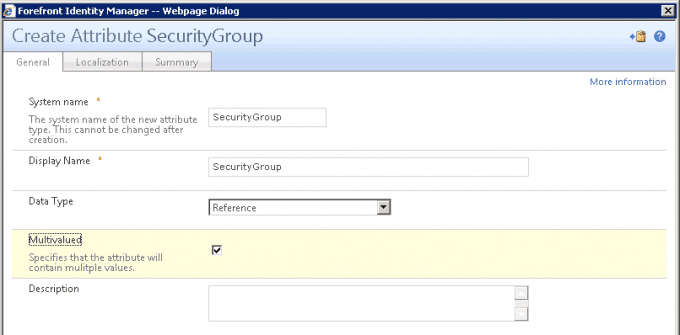
- We created a new reference multivalued attribute called SecurityGroups.
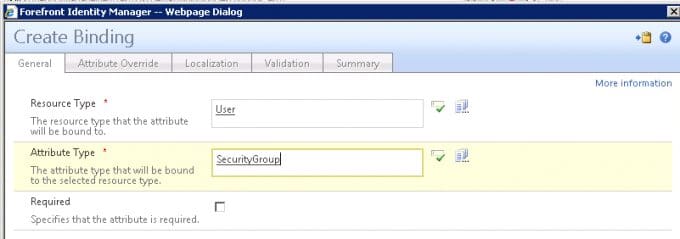
2. Next, we added a binding to the User object for that attribute.
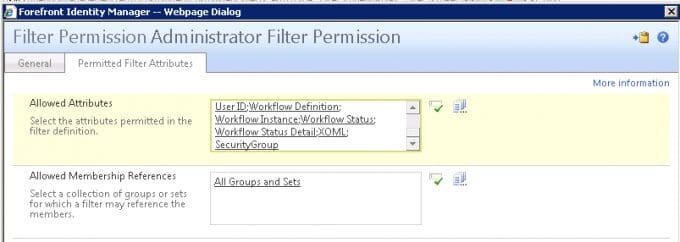
3. We added this attribute to the Filter Permissions.
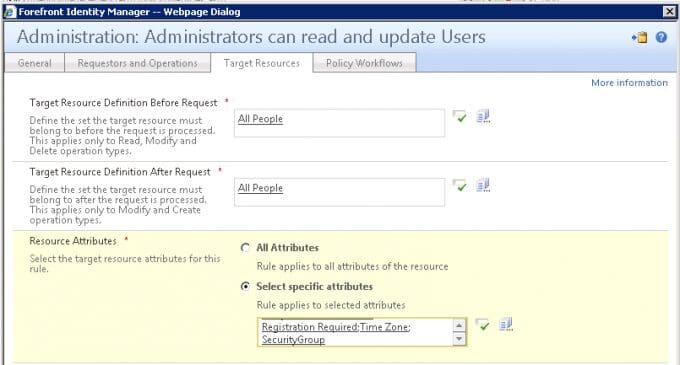
4. Added the attribute to the management policy rule “Administration: Administrators can read and update users.”
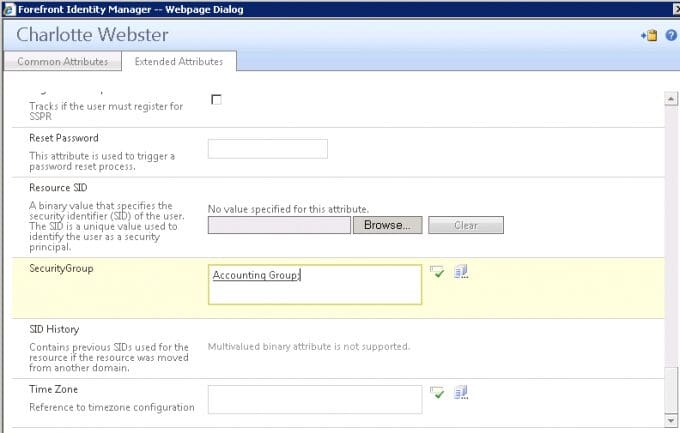
5. When we create or edit a person and want that person to be in a group, we enter the group name in this field.
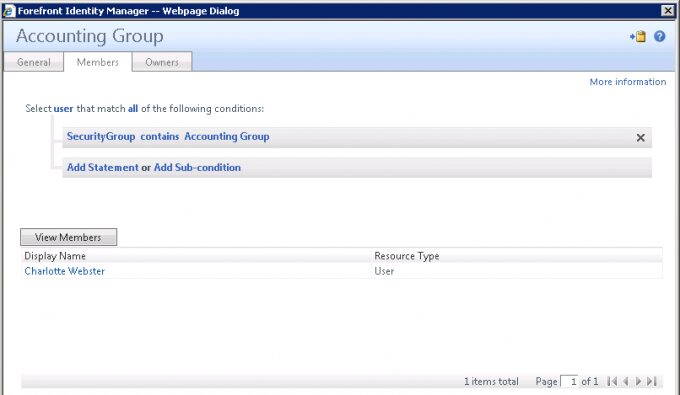
6. We can also edit the criteria for the group membership so that when a user has this attribute added, the user becomes a member of that group.
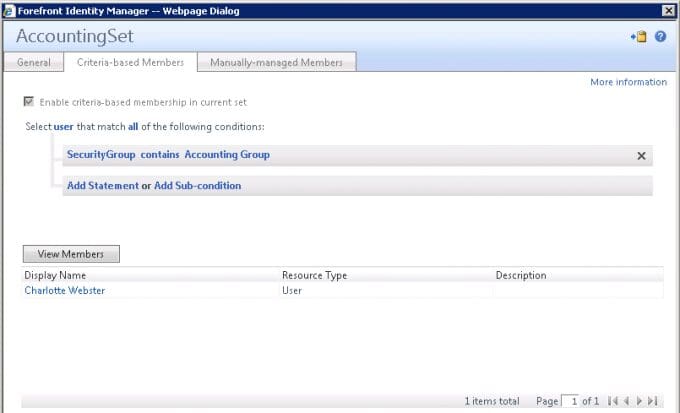
7. Similarly, we can create a Set based on this attribute.
8. Now, we can use that set in our management policy rules to handle permissions and the security group can be used to sync to Active Directory.
It’s a little bit of a round-about approach, but it worked well for us. We were able to build out some other features the client wanted using this method. For instance, one thing they wanted was for users to only be able to assign another user to a security group that the assigner was a member of. We created a workflow that would automatically build out sets and management policy rules to handle this when a group was created.
First, the workflow created a set for the new Group object:
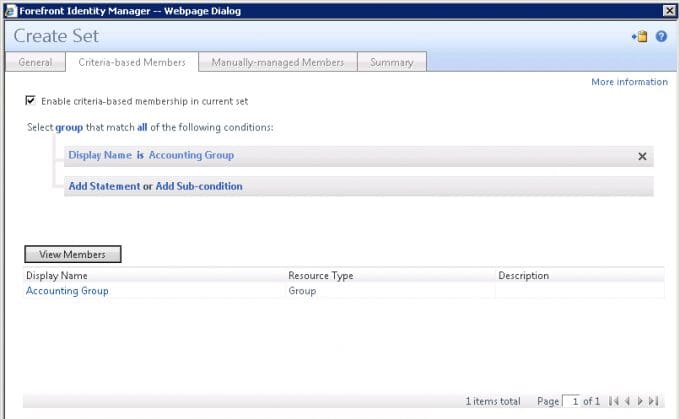
And the set for the users as described in step 7 above.
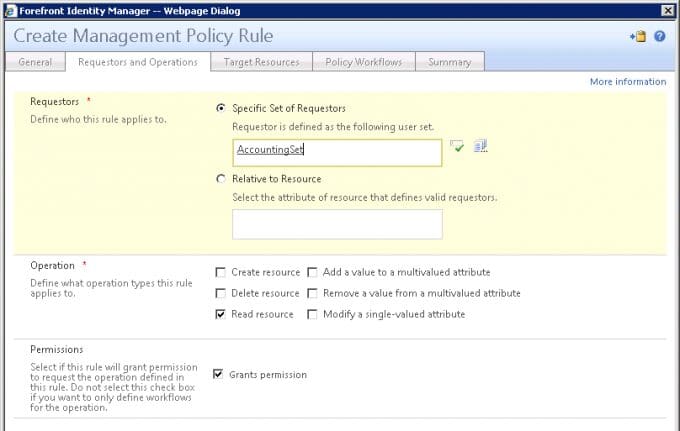
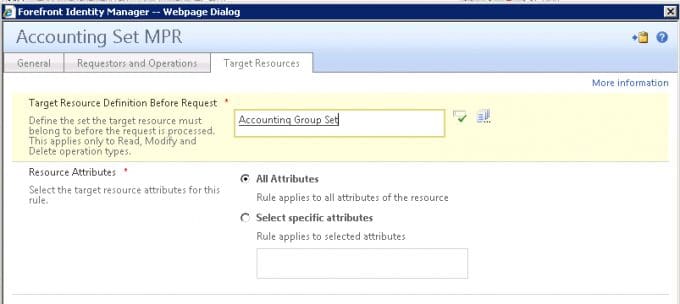
Next it creates a management policy rule to grant permission on the security group. If a user wasn’t in the set for that group, he would not have view permissions on the security group object and, therefore, would not be able to assign it to a user via the security group attribute (we did not allow access to the security group menu for these users at all).
Subscribe to The Source
Stay secure with Keyfactor's monthly newsletter, packed with expert insights and practical steps for quantum-readiness.